👑 Beauty Pageant Judging System
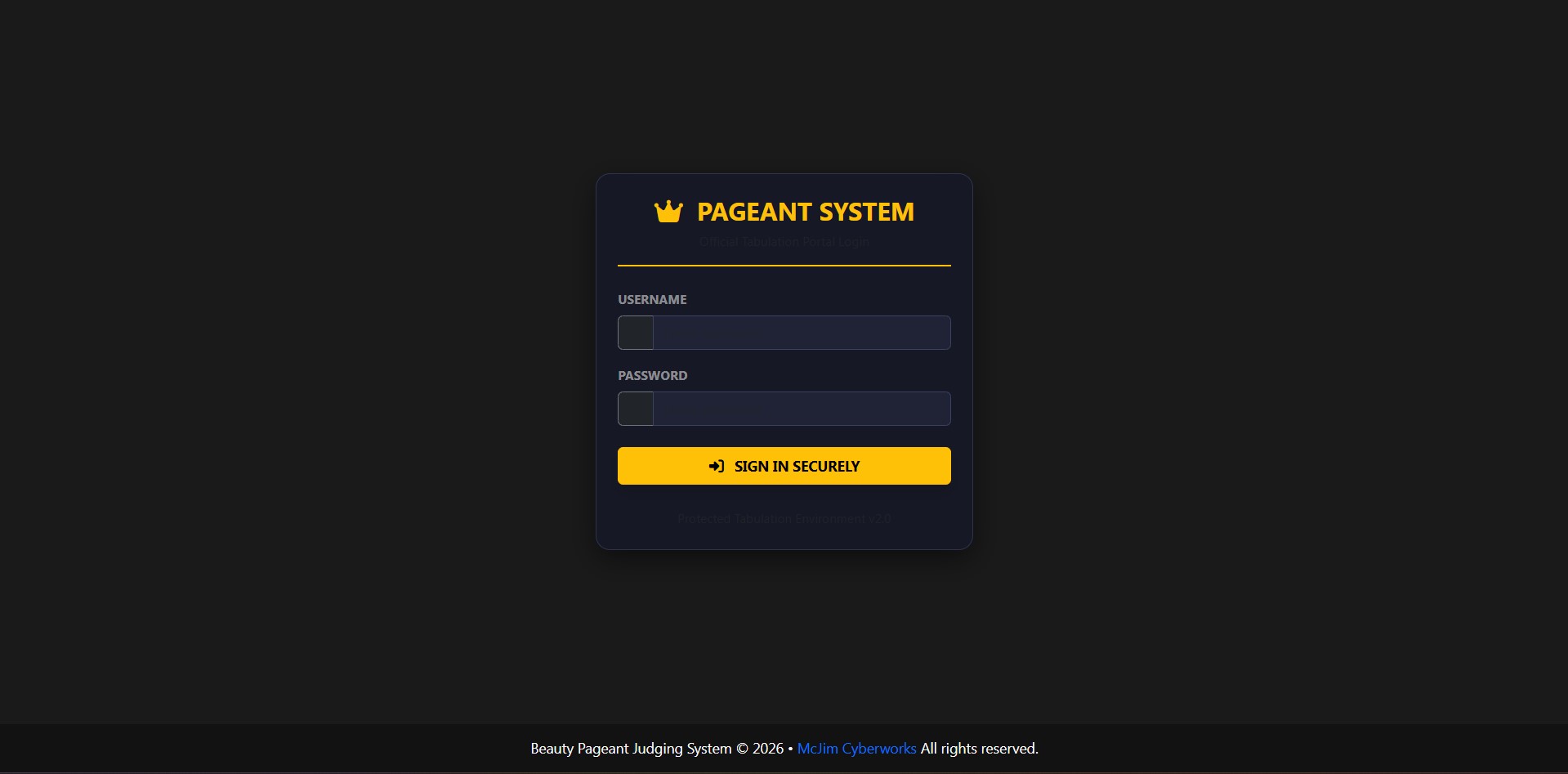
A Real-Time, Highly Responsive, and Secure Web-Based Tabulation System specifically engineered for beauty pageants and talent competitions. This system empowers judges to seamlessly score candidates per category using interactive fluid sliders while providing administrators and tabulators with real-time analytics, central segment locking mechanics, profile management, and print-ready dynamic official score sheets.
🚀 Core Features
👨⚖️ Judges Portal
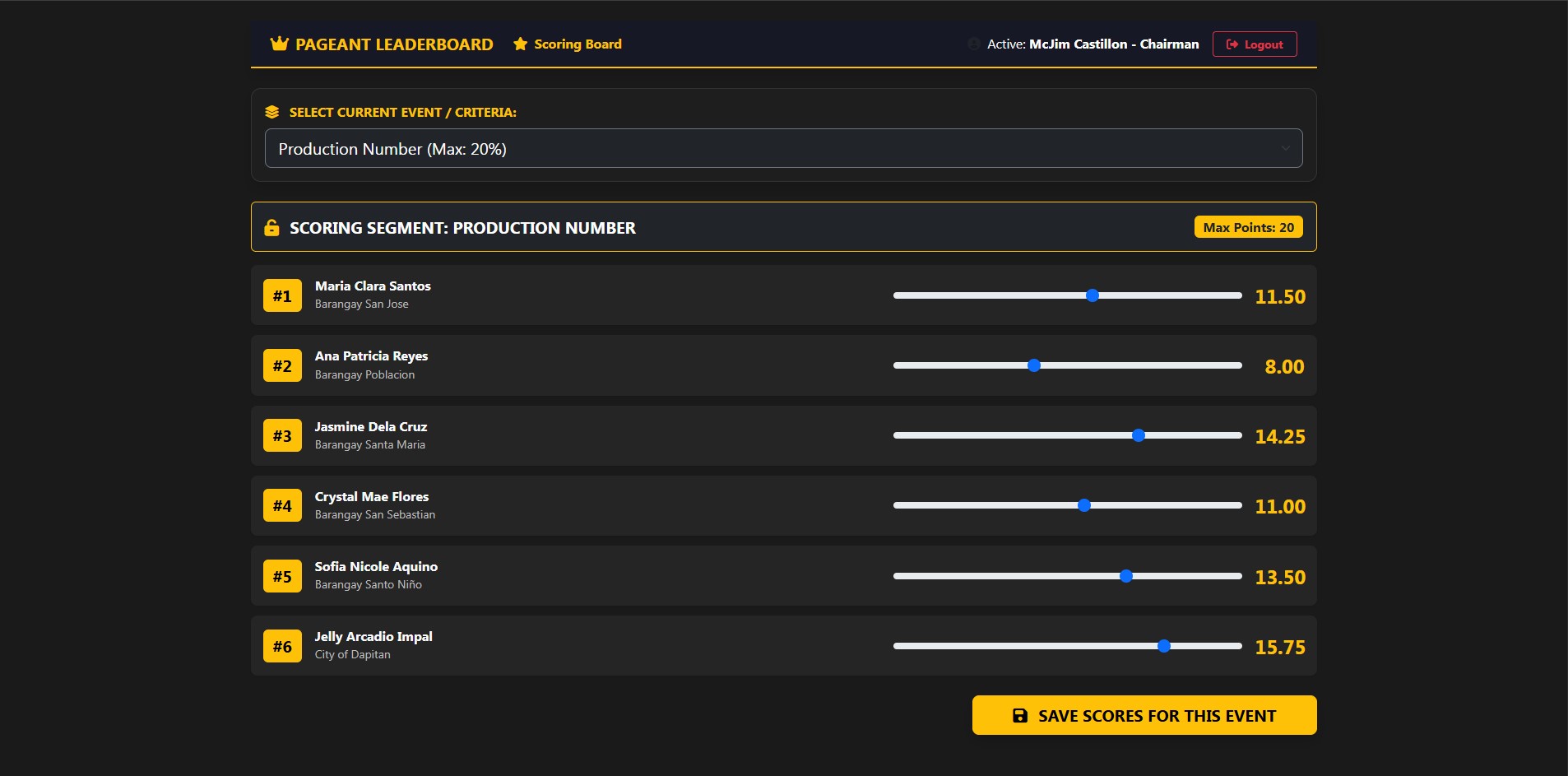
- Segmented Scoring Workflow: Simplifies the judging process by isolating entries per category event (e.g., Production Number). Judges only focus on one criteria segment at a time.
- Interactive Fluid Sliders: Clean HTML5 range sliders configured with precise
.25incremental decimal steps for quick and accurate inputs. - Auto-Retention Memory Engine: Automatically pre-loads previously saved scores when a judge revisits an event segment to prevent accidental data loss.
- Asynchronous Live Lock Sync: Instantly disables inputs and form controls the moment an administrator locks a specific criteria segment.
👑 Administrator & Tabulator Central Command
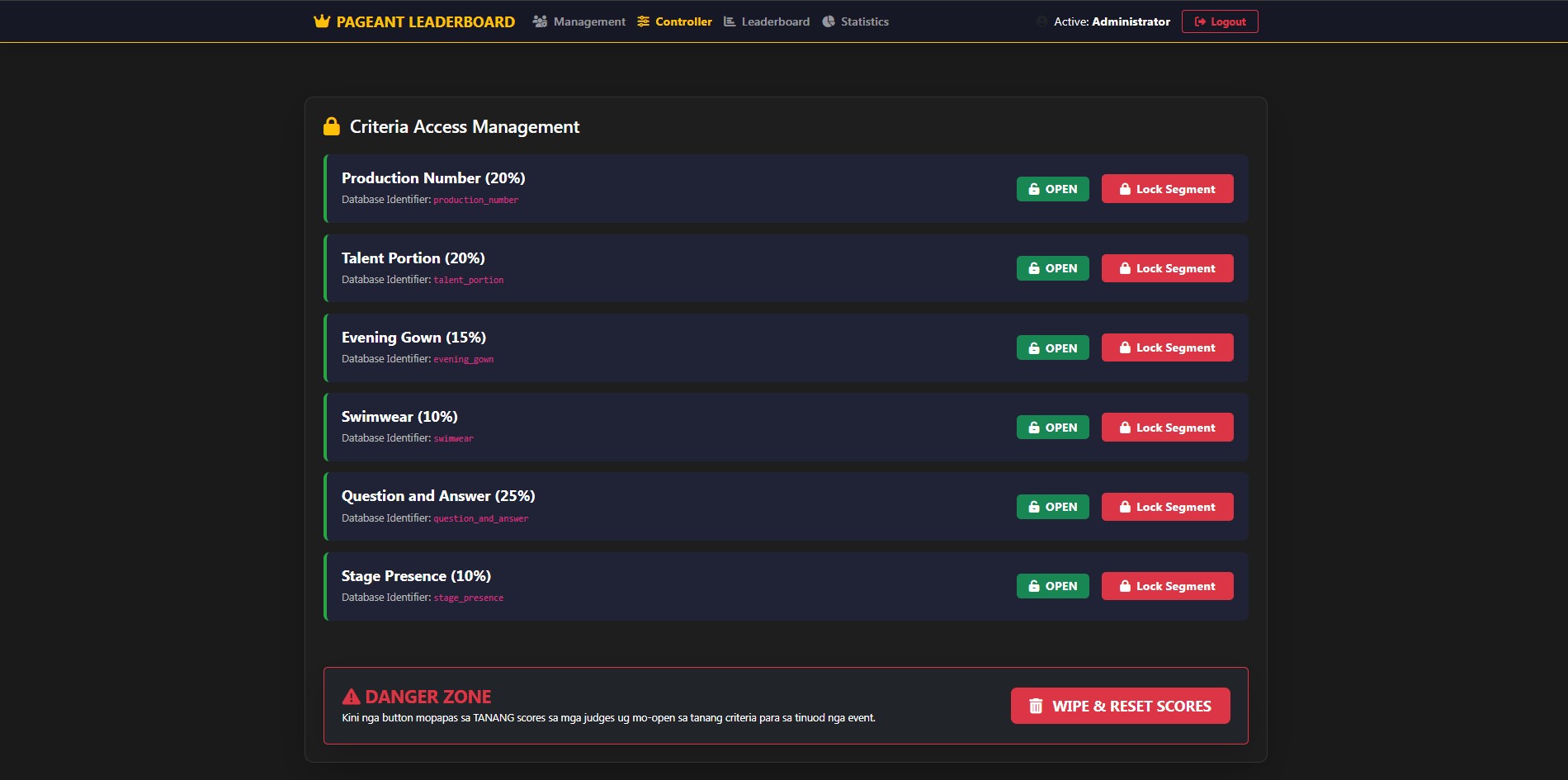
- Live Event Controller (
admin_controller.php): A centralized dashboard featuring single-click asynchronous AJAX lock/unlock toggles per criteria to secure inputs right after a segment finishes. - Roster Profiles Management (
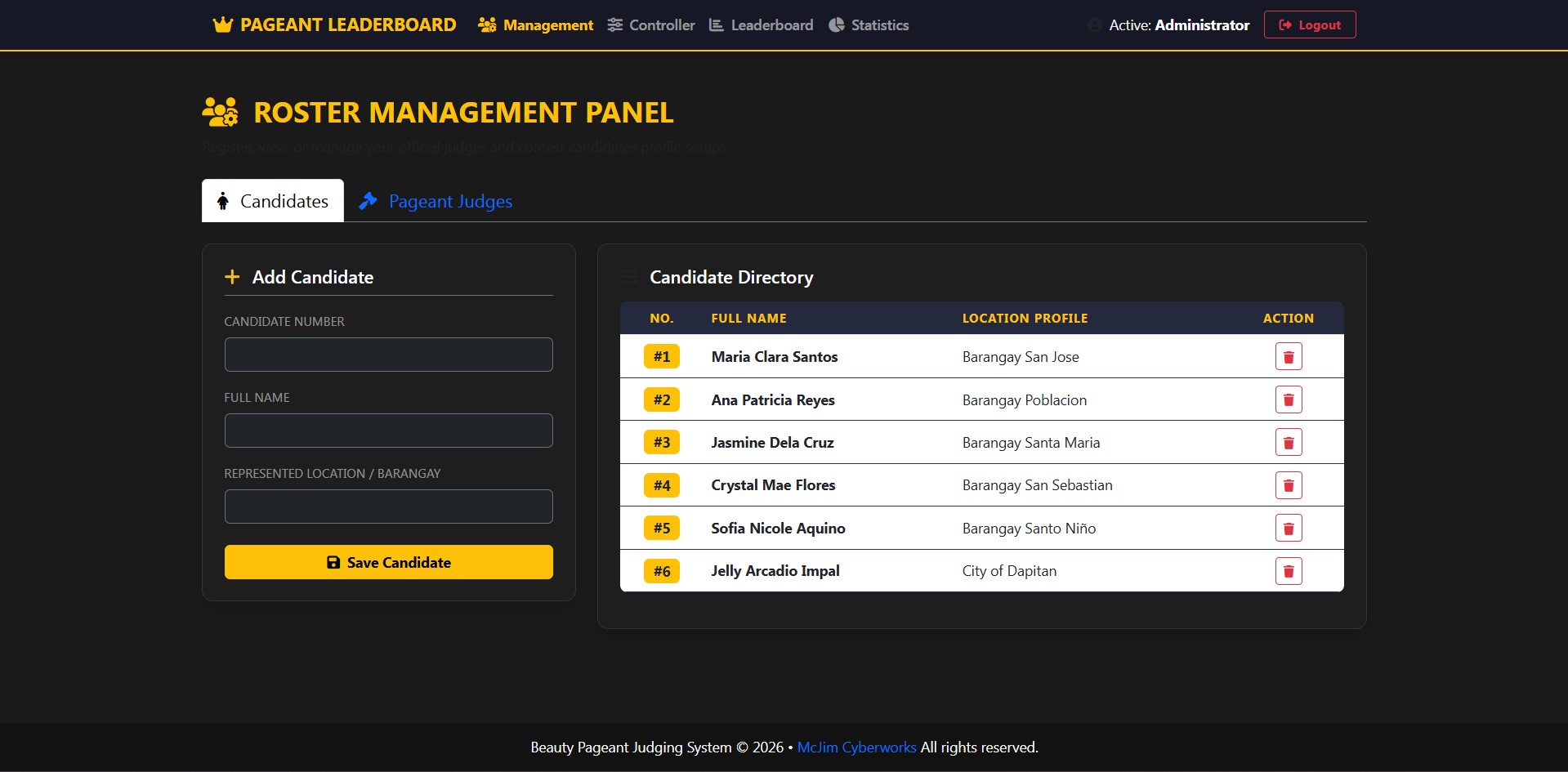
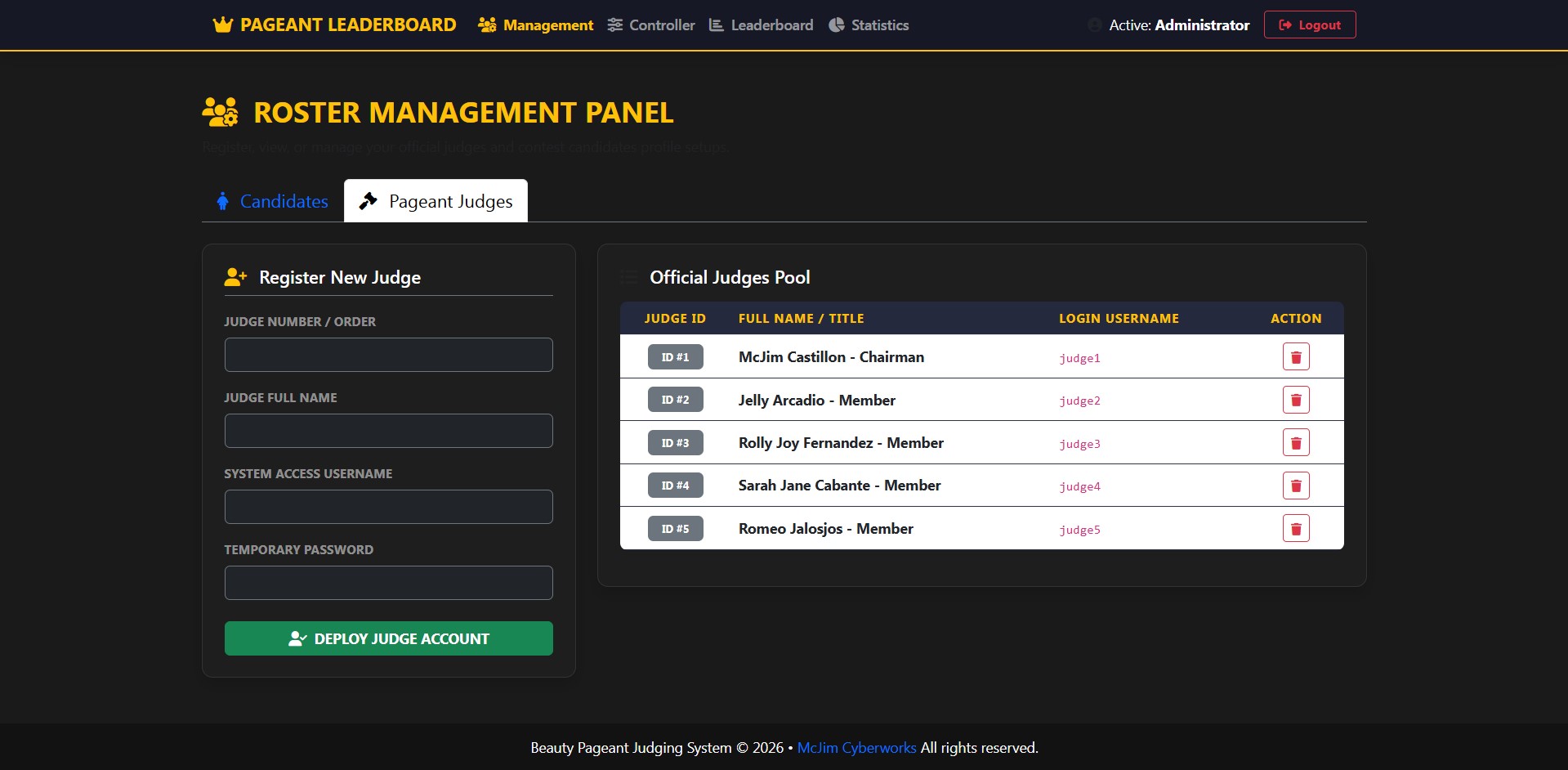
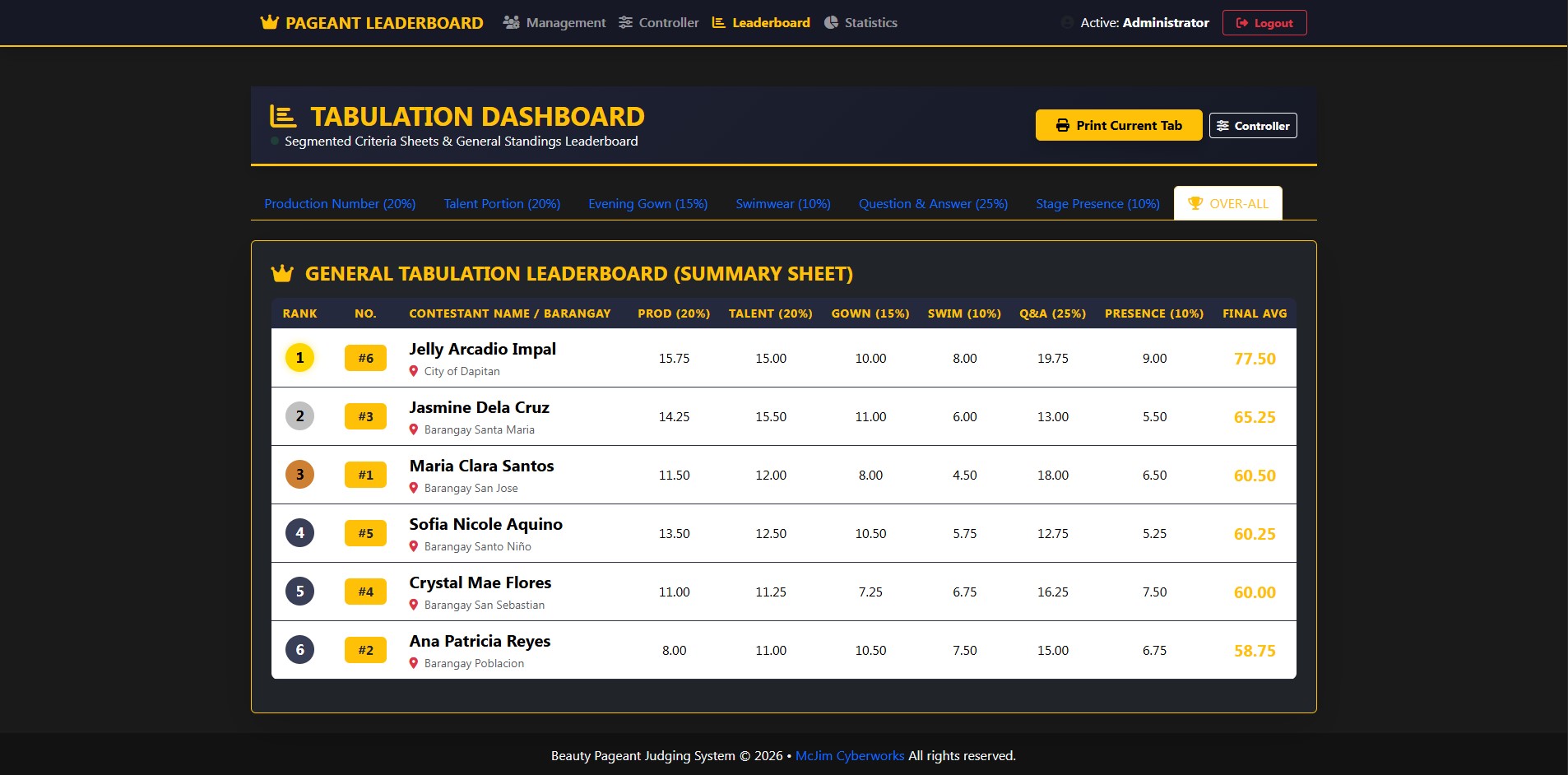
admin_management.php): A smooth tabbed Bootstrap 5 interface to quickly register, view, or remove judges and contest candidates on the fly. - Advanced Leaderboard Analytics (
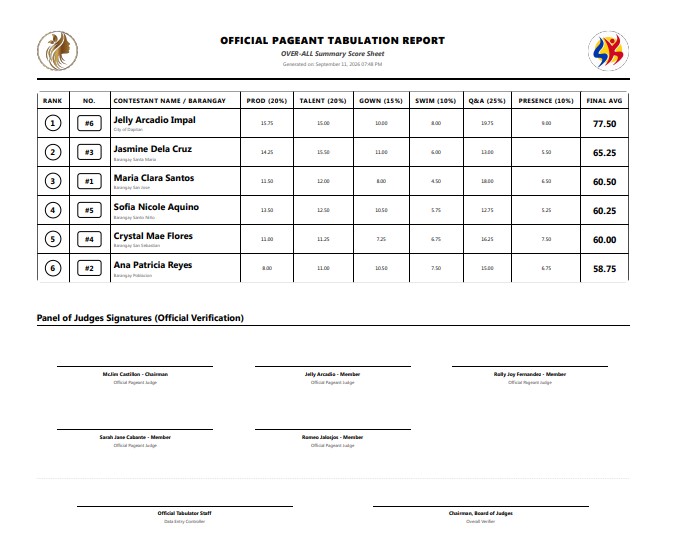
admin_dashboard.php): A beautiful segmented matrix system displaying standalone judge sheets breakdown alongside dynamic cumulative sub-averages. - Smart Printing Core: Click Print Current Tab to trigger native print layouts optimized with Dynamic Title Swapping, Official Double-Logo Slots, and formal Signature Lines for panel verification sheets.
- Critical Reset Engine: A single-click Danger Zone database wiper tool to instantly purge mock/test scores right before the official event begins.
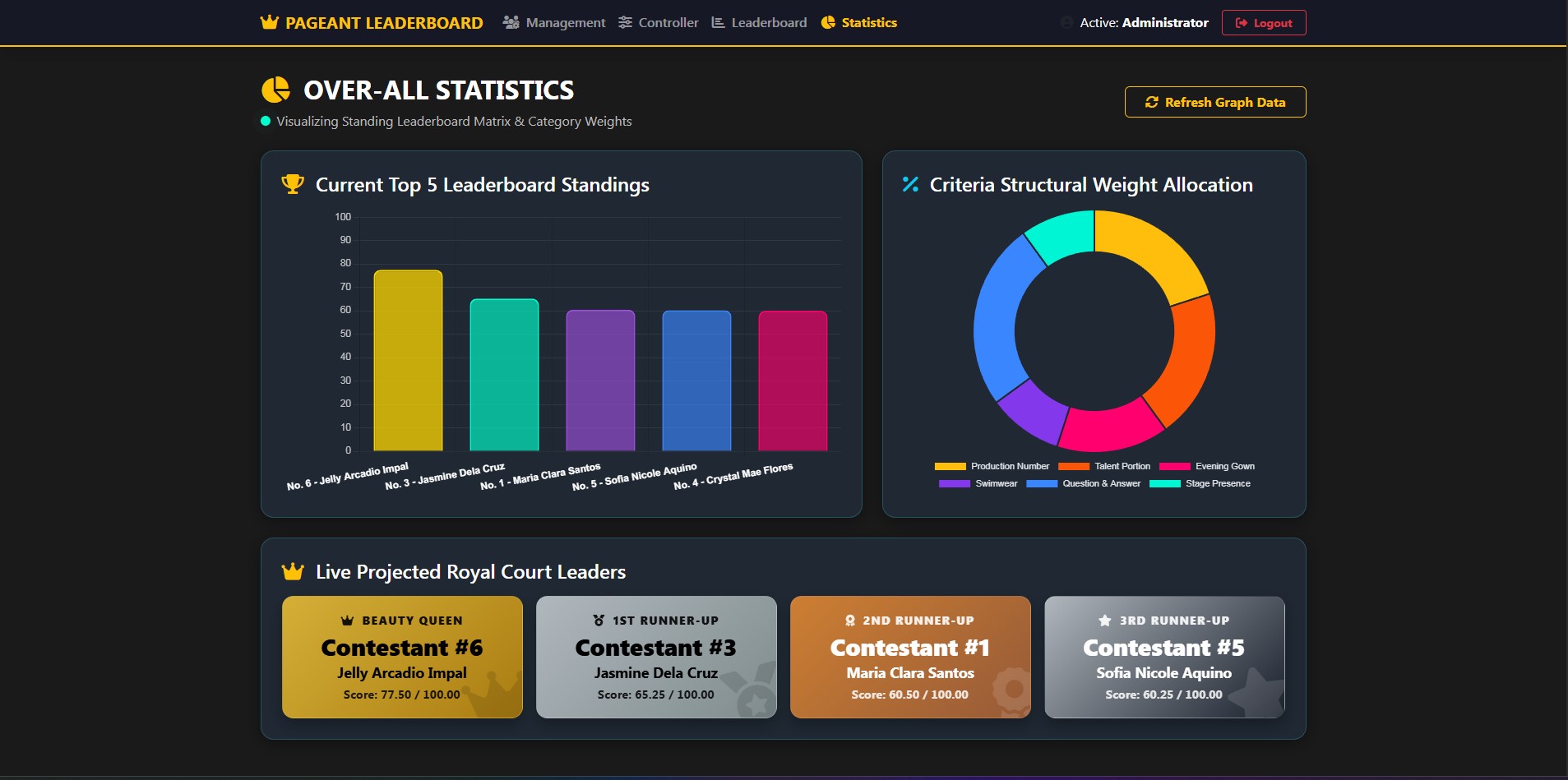
📊 Stage Projection Visuals Panel (statistics.php)
- Top 5 Leaderboard Standings: Animated, high-end column bar chart rendered perfectly via Chart.js v4 for presentation/projector displays.
- Criteria Weight Allocation: A clean, hollow doughnut chart visualizing structural percentage breakdowns for the orientation audience.
- Projected Royal Court Leaders: Premium vertical flex podium winner cards decorated with luxurious gradient accents for the Beauty Queen (Gold), 1st Runner-up (Silver), 2nd Runner-up (Bronze), and 3rd Runner-up (Onyx).
📊 Official Criteria Weight Allocation Matrix
The system architecture is hard-coded and calibrated using the following weighting configurations:
- Production Number: 20% (Max 20.00 points)
- Talent Portion: 20% (Max 20.00 points)
- Evening Gown: 15% (Max 15.00 points)
- Swimwear: 10% (Max 10.00 points)
- Question and Answer: 25% (Max 25.00 points)
- Stage Presence: 10% (Max 10.00 points)
- TOTAL CUMULATIVE AVERAGE SCORE: 100.00%
🛠️ System Requirements & Installation Guide
1. Pre-requisites
- Local Server Stack Environment: XAMPP, WAMP, or MAMP (PHP 7.4 or higher, MySQL / MariaDB).
- Web Browser: Google Chrome, Microsoft Edge, or Mozilla Firefox (Crucial for native Print Media CSS layout profiles processing).
2. Database Schema Configuration
Create a database named pageant_tabulation in your phpMyAdmin panel and execute this precise structural layout code:
CREATE DATABASE pageant_tabulation;
USE pageant_tabulation;

CREATE TABLE contestants (
    id INT AUTO_INCREMENT PRIMARY KEY,
    candidate_number INT NOT NULL UNIQUE,
    fullname VARCHAR(100) NOT NULL,
    represented_location VARCHAR(100) DEFAULT NULL,
    created_at TIMESTAMP DEFAULT CURRENT_TIMESTAMP
);

CREATE TABLE judges (
    id INT AUTO_INCREMENT PRIMARY KEY,
    judge_number INT NOT NULL UNIQUE,
    fullname VARCHAR(100) NOT NULL,
    username VARCHAR(50) NOT NULL UNIQUE,
    password VARCHAR(255) NOT NULL,
    status ENUM('active', 'inactive') DEFAULT 'active'
);

CREATE TABLE scores (
    id INT AUTO_INCREMENT PRIMARY KEY,
    judge_id INT NOT NULL,
    contestant_id INT NOT NULL,
    criteria_name VARCHAR(50) NOT NULL,
    score DECIMAL(5,2) DEFAULT 0.00,
    submitted_at TIMESTAMP DEFAULT CURRENT_TIMESTAMP ON UPDATE CURRENT_TIMESTAMP,
    FOREIGN KEY (judge_id) REFERENCES judges(id) ON DELETE CASCADE,
    FOREIGN KEY (contestant_id) REFERENCES contestants(id) ON DELETE CASCADE,
    UNIQUE KEY unique_judge_contestant_criteria (judge_id, contestant_id, criteria_name)
);

CREATE TABLE criteria_status (
    criteria_name VARCHAR(50) PRIMARY KEY,
    status ENUM('open', 'locked') DEFAULT 'open'
);

INSERT INTO criteria_status (criteria_name, status) VALUES
('production_number', 'open'),
('talent_portion', 'open'),
('evening_gown', 'open'),
('swimwear', 'open'),
('question_and_answer', 'open'),
('stage_presence', 'open');
📋 Event Night Venue Deployment Protocols
-
Local Wi-Fi Network Setup (No Active Internet Required):
- Connect the main server laptop (running XAMPP) and the judges' tablets to a single standalone Wi-Fi Router.
- Obtain the local IPv4 address of the server laptop (e.g.,
192.168.1.100). - Launch the web browsers on the judges' tablets and type the server network URL pathway:
http://192.168.1.100.
-
Default System Credentials:
- Admin Command Center: Username:
admin| Password:admin123 - Seed Mock Judges (For Dry-Run Simulations): Username:
judge1,judge2,judge3| Password:judge123
- Admin Command Center: Username:
-
Launch Day Protocol:
- Run
data_seeder.phpbeforehand during tech checks to confirm network connections, slider responsiveness, and chart matrix calculations. - Right before the official program starts, go to the Admin Controller and execute the Wipe & Reset Scores protocol to ensure a completely clean scoreboard sitting at absolute
0.00.
- Run
Engineered with 💡 and 👑 for seamless local and commercial tabulation system solutions.