Online Voting System



The Online Voting System is a web-based application built with PHP and MySQL that serves as an automated voting platform for organizations, schools, or communities.
By transitioning from manual paper-based elections to this online platform, organizations can minimize voting time, reduce errors, and instantly tally votes with precision.
🚀 Features
Voter Portal
- Secure Authentication: Voters log in securely using their unique Voter ID.
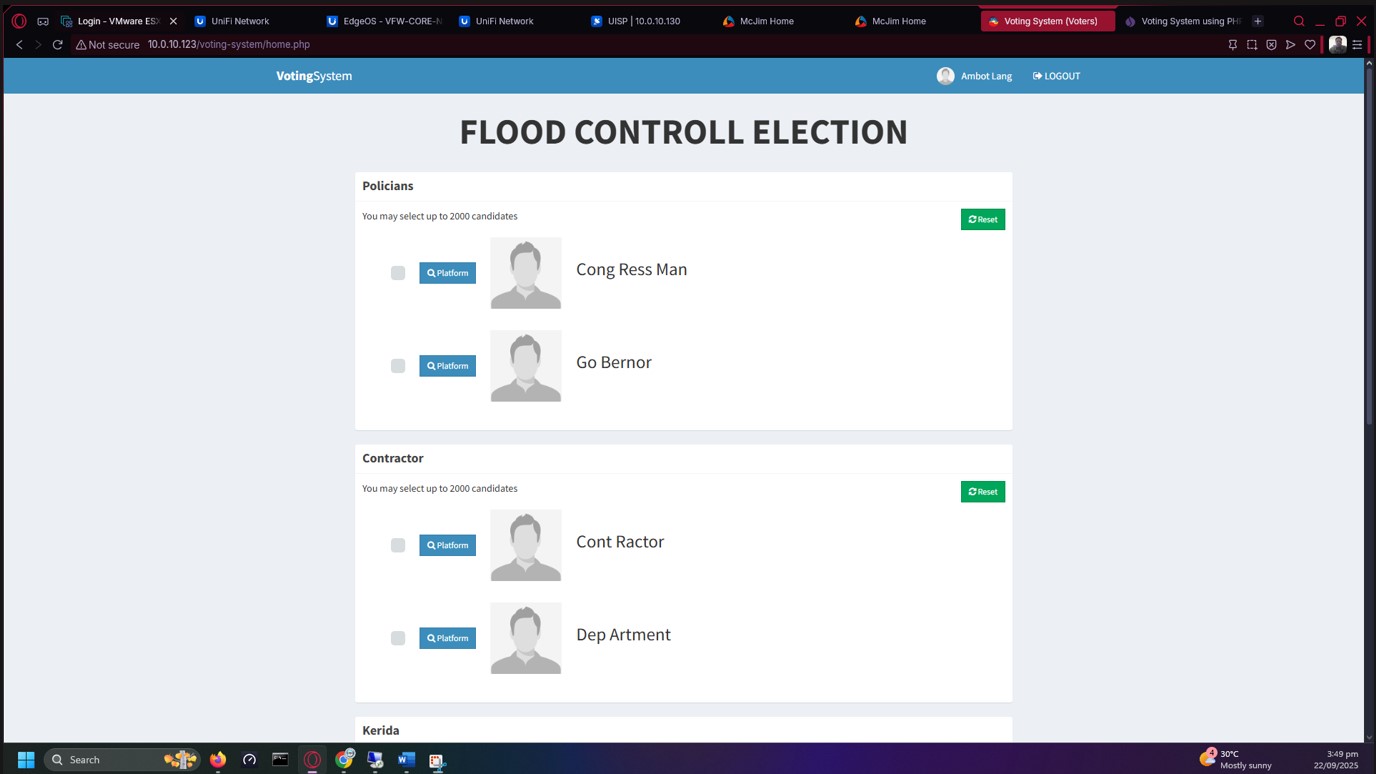
- Intuitive Ballot System: Clean, modern voting card interface.
- Vote Preview: Review selections before final submission.
- Multi-Seat Positions: Supports electing multiple candidates for a single position (e.g., "Select 3 Senators").
Admin Panel
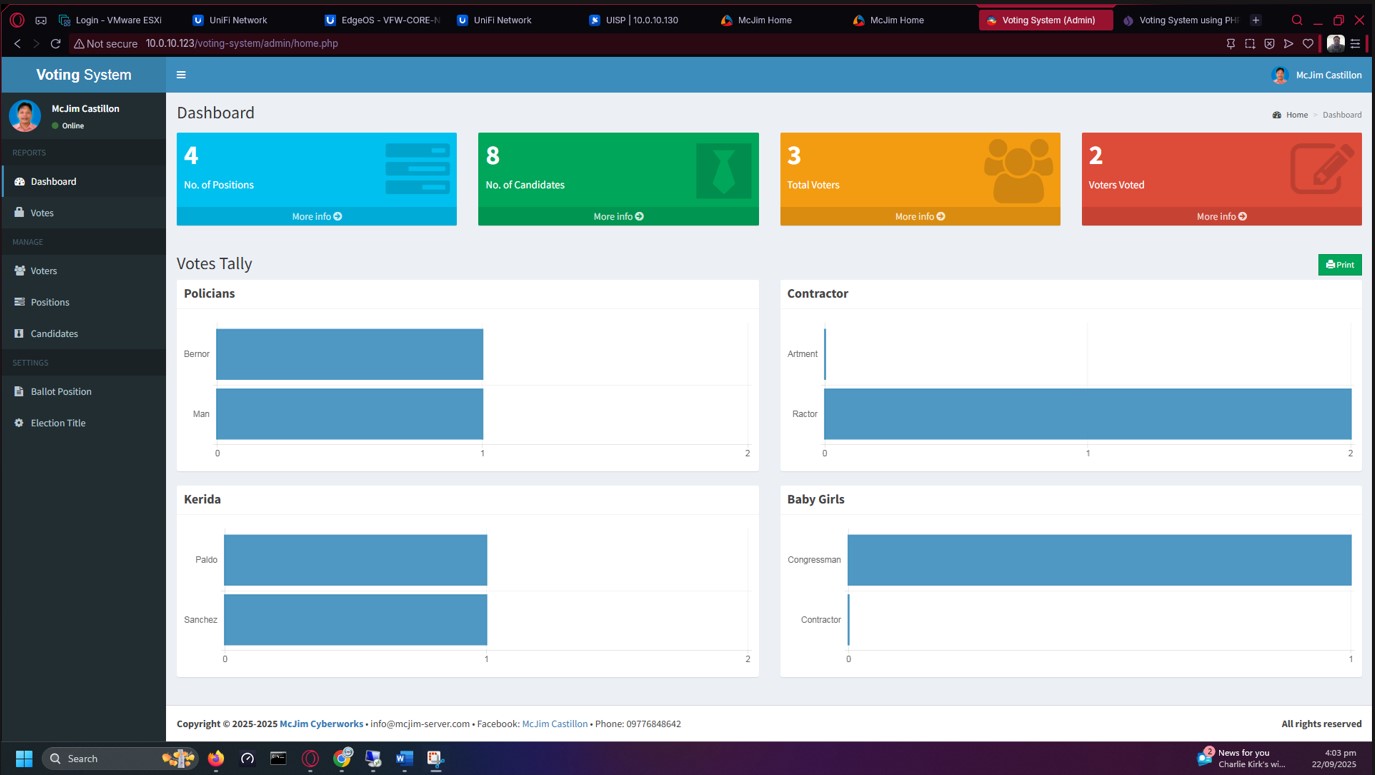
- Real-time Analytics: Visual dashboard with horizontal bar charts (via Chart.js) showing live voting tallies.
- Election Management: Change election titles and configure positions dynamically.
- Ballot Organization: Easily rearrange the order of positions as they appear on the ballot.
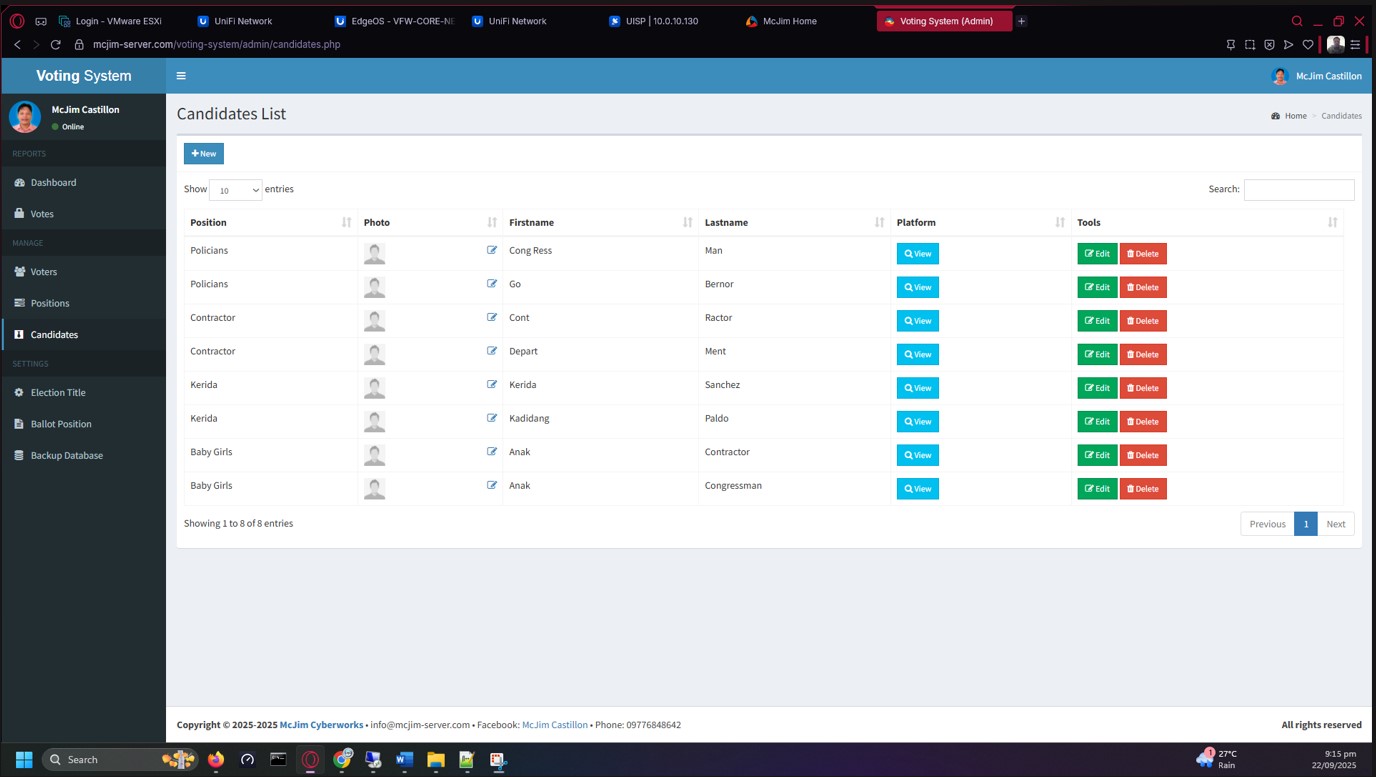
- Full CRUD Operations: Manage Voters, Candidates, and Positions seamlessly.
- PDF Reporting: Instantly generate and print election results as PDF documents (powered by TCPDF).
🎨 Recent Updates (Modernization & Security)
- Framework Upgrade: Fully migrated from legacy Bootstrap 3 to Bootstrap 5.3, completely revitalizing the UI component architecture.
- Modern UI Overhaul: Applied a premium CSS layer (Cards, soft shadows, vibrant gradients, Inter typography) over the AdminLTE layout for a high-end feel.
- Asset Modernization: Integrated FontAwesome 6 and the latest DataTables for Bootstrap 5 for snappier, better-looking interactions.
- Voter Tracking: Added a "Status" column to the Admin Voters List to dynamically track if voters have already cast their ballot.
- Login Redesign: The legacy tiled background has been replaced with a clean, centered, floating card layout for both Admin and Voter portals.
- Security Patches: Critical SQL injection vulnerabilities in the authentication flows have been patched using secure parameter binding/escaping techniques.
🛠️ Technology Stack
- Backend: PHP
- Database: MySQL
- Frontend: HTML5, custom CSS (Modern Theme), Bootstrap 5.3, AdminLTE
- Plugins/Libraries: Chart.js, TCPDF, iCheck, DataTables (BS5), FontAwesome 6
⚙️ Installation
- Clone/Download the repository to your local web server's root directory (e.g.,
htdocsfor XAMPP orwwwfor WAMP/LARAGON). - Database Setup:
- Open phpMyAdmin and create a new database (e.g.,
votesystem). - Import the included
.sqlfile located in thedb/folder into your new database.
- Open phpMyAdmin and create a new database (e.g.,
- Configuration:
- Open
includes/conn.phpandadmin/includes/conn.php. - Update the database connection credentials (
username,password,database_name) to match your local setup.
- Open
📖 How to Use
Admin Setup
- Navigate to
http://localhost/your-project-folder/admin. - Login with the default credentials:
- Username:
admin - Password:
admin
- Username:
- Configure your election:
- Go to Election Title to set the name of your election.
- Add Positions, Candidates, and Voters.
- Arrange the ballot order under the Ballot Position menu.
Voting Process
- Distribute the generated Voter IDs to your electorate.
- Voters navigate to
http://localhost/your-project-folder/. - Voters log in with their ID, preview their ballot, and submit their votes!
- Admins can view the live tally and print the final PDF results from the dashboard.
Created by MCJIM CYBERWORKS