🗺️ ZDS Livelihood Tracking & Management System
A secure, high-performance, province-wide multi-tenant data dashboard built to track, monitor, and audit community livelihood association grants and income across the municipalities of Zamboanga del Sur, Philippines.
Generated dynamically using a decoupled PHP/AJAX data pipeline, modern Bootstrap 5 UI configurations, and interactive data visualization engines.
🚀 Core Features
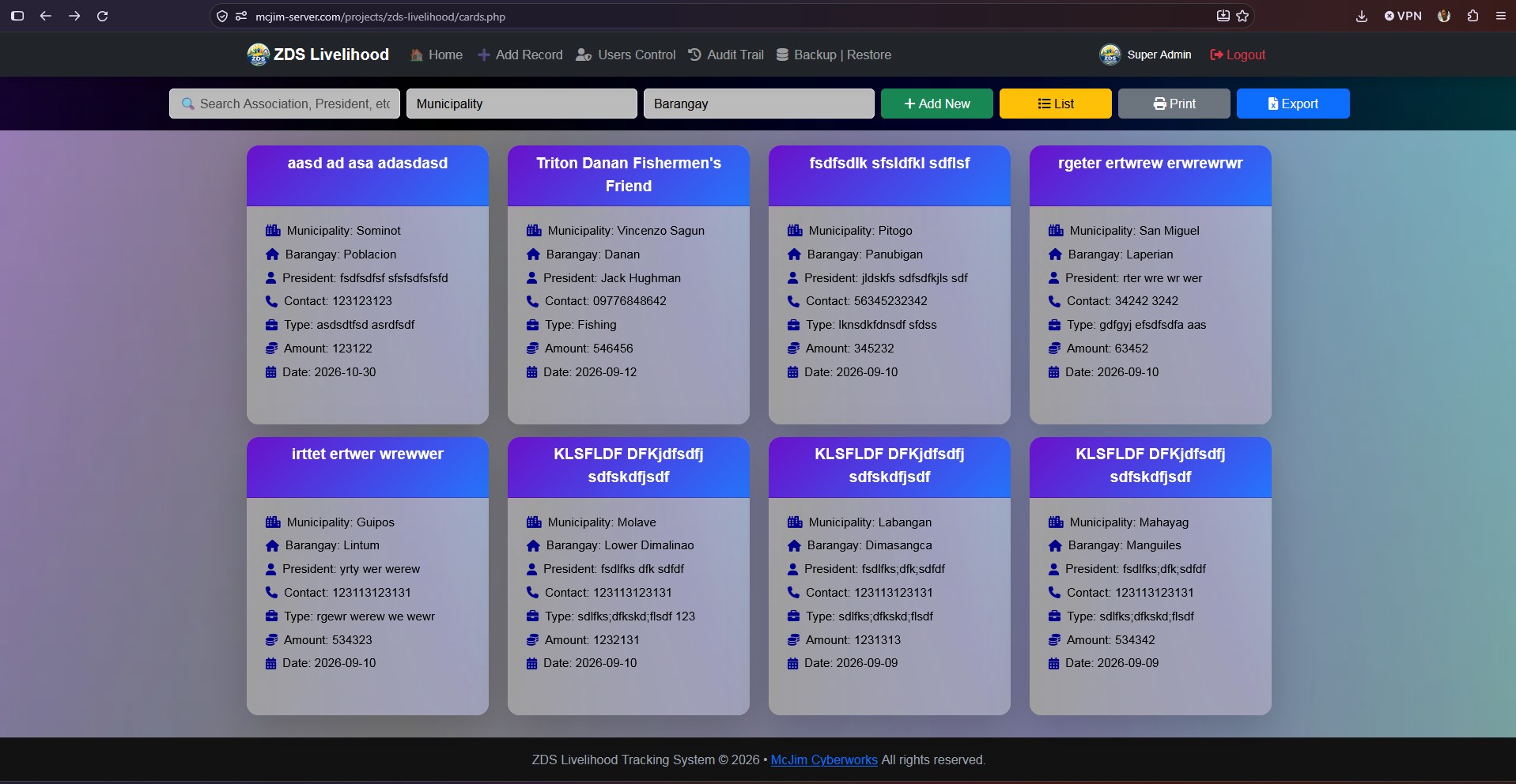
- 🎨 Dynamic Glassmorphism UI: Features a premium, fully responsive interface with dynamic Dark/Light Mode shifting, seamless gradient rendering, and floating blurred components.
- ⚡ Decoupled Real-Time Filtering: Instantly filters records by keyword search, municipality, and barangay via background AJAX workers without breaking active page scrolling or refreshing.
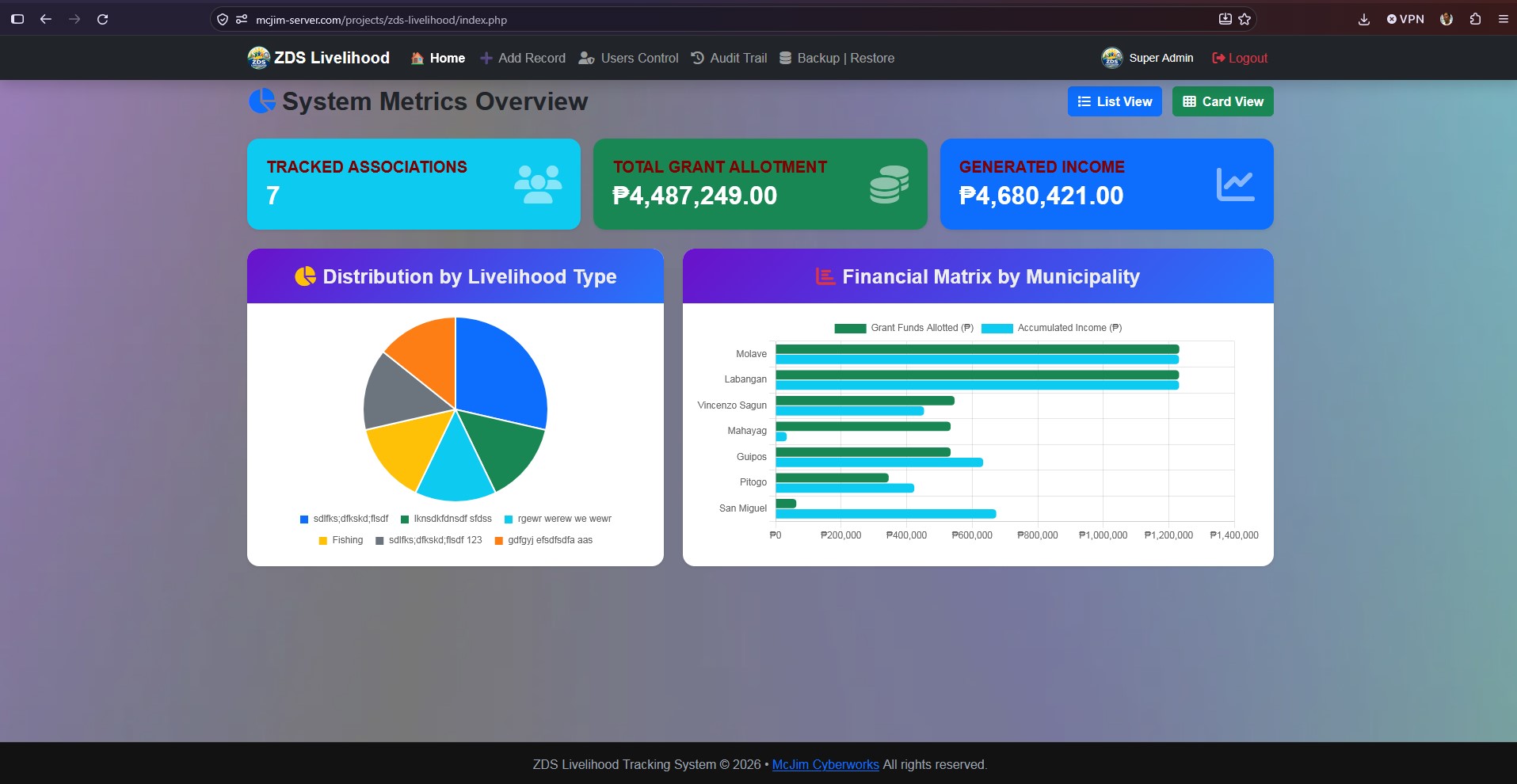
- 📊 Live Data Analytics Summary: Integrated dashboard statistics using interactive Chart.js HTML5 canvas graphics showing distribution metrics and municipal financial balances.
- 🧮 Automatic Mathematical Totals: Data grid tables feature a sticky calculation footer (
<tfoot>) that dynamically updates selected row sums (Grants vs. Accumulated Income) on the fly. - 🛡️ Strict Multi-Tenant Territory Locks: Impenetrable database querying and POST payload verification walls strictly isolate user CRUD access (Create, Read, Update, Delete) boundaries by their assigned geographic municipality.
- 📋 Professional Compliance Reporting: Features a one-click automated Excel/CSV extraction engine and an isolated print view stylesheet.
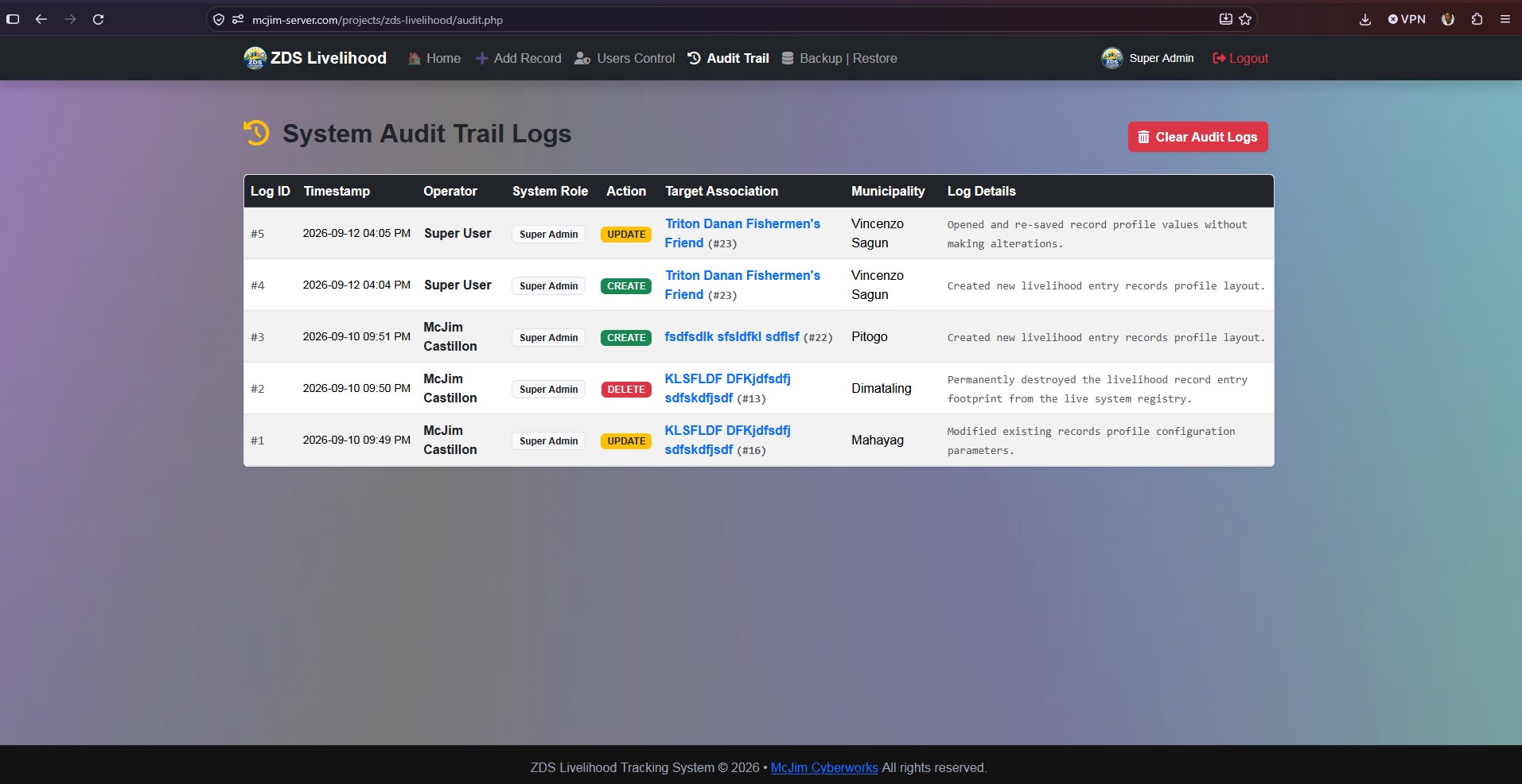
- 📑 Rigorous Deep Field Auditing: Tracks every single transaction (CREATE, UPDATE, DELETE) inside an administrative audit panel, documenting field changes down to specific character differences.
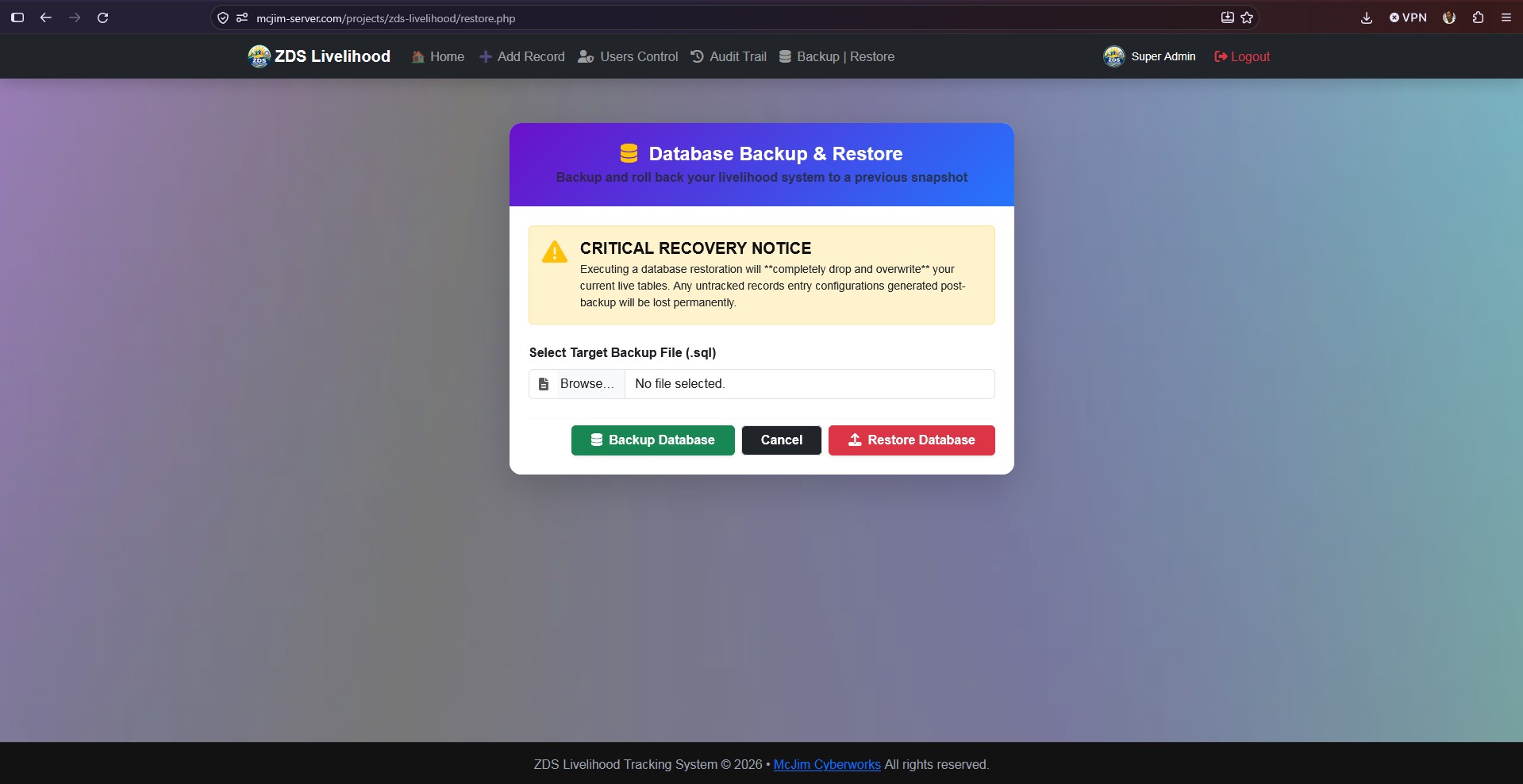
- 💾 Enterprise Database Lifecycles: Self-contained native SQL Backup download generation tool paired with a double-confirmation Restore rollback dashboard engine.
🔐 System Authorization & Permissions Matrix
The platform runs a strict, multi-tenant role layout system enforced across both client-side elements and server-side controller boundaries:
| System Capability | 🟥 Super Admin (Global Overseer) | 🟦 Municipal Admin (Territory Locked) |
|---|---|---|
| View Dashboard Statistics | Global (All Towns) | Restricted (Assigned Town Only) |
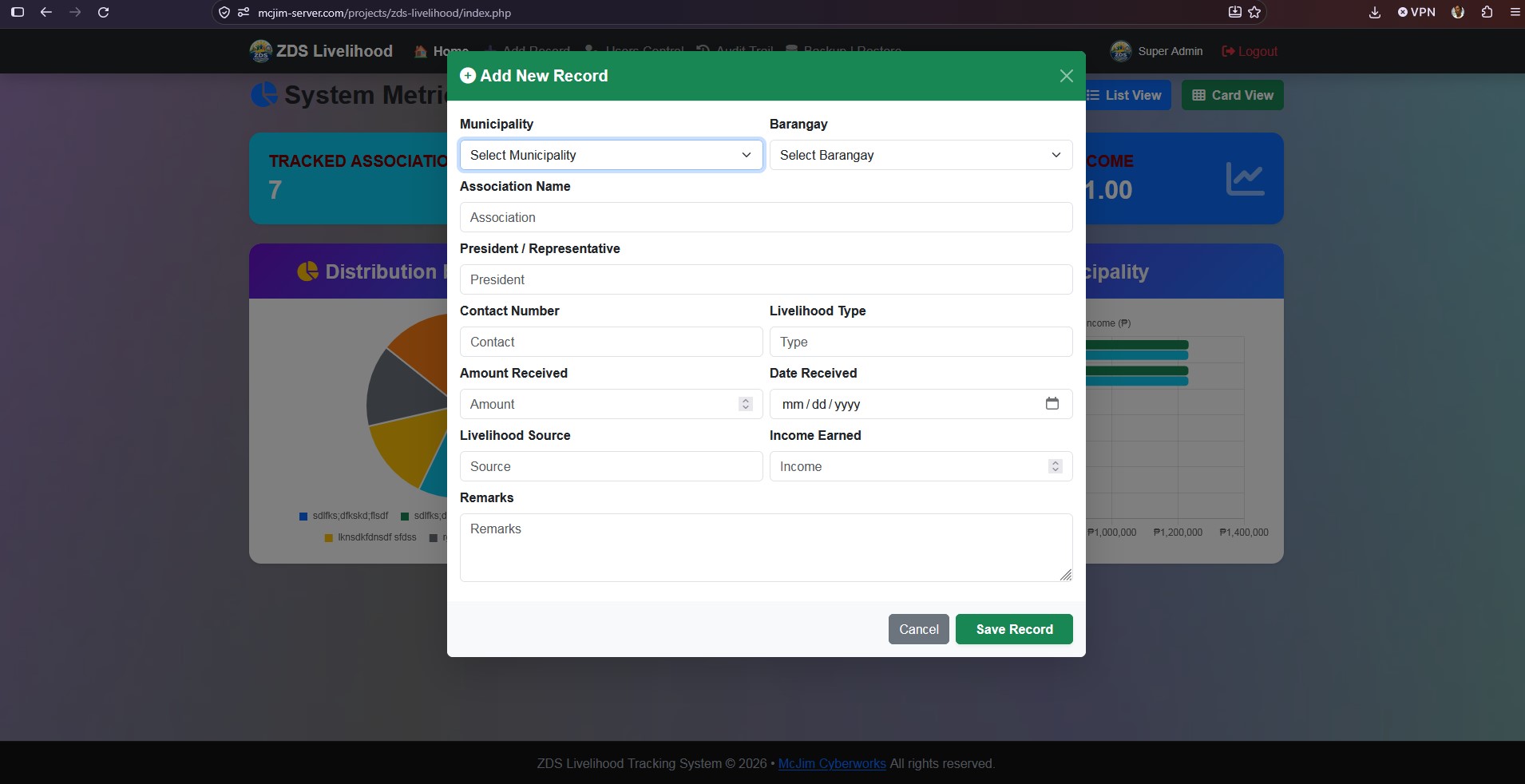
| Manage Data Records (CRUD) | Global (All Towns) | Restricted (Assigned Town Only) |
| Print View / Export Excel | Global Data Sets | Filtered Local Data Sets |
| Update Account Profile | ✅ Yes | ✅ Yes |
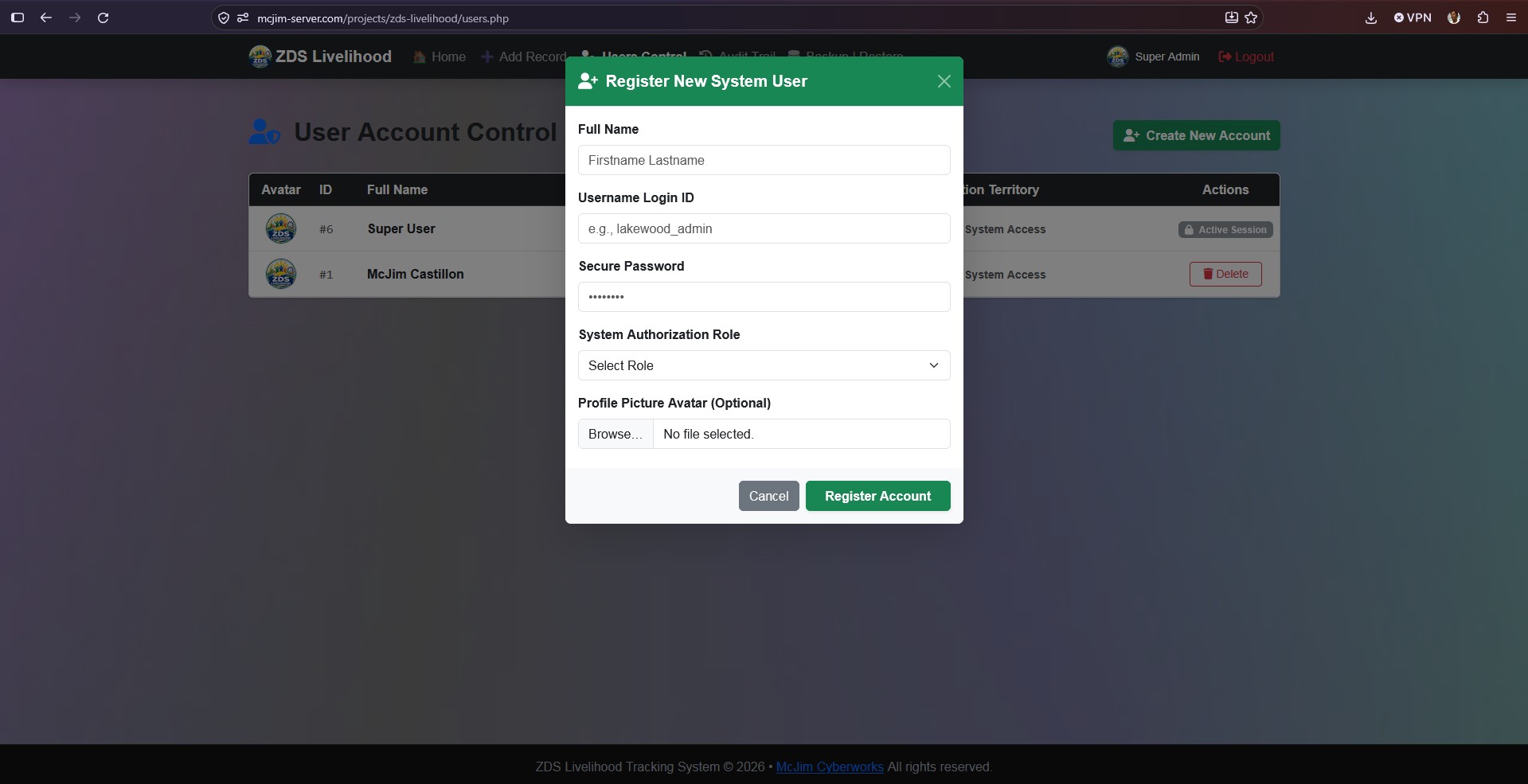
| Manage System Accounts | ✅ Yes (Full Access) | ❌ Denied (Redirected Away) |
| Read System Audit Logs | ✅ Yes (Full Access) | ❌ Denied (Redirected Away) |
| Database Backup & Restore | ✅ Yes (Full Access) | ❌ Denied (Redirected Away) |
📂 File Architecture Matrix
zds-livelihood/
├── config.php               # Core database links, session initialization, and absolute route guards
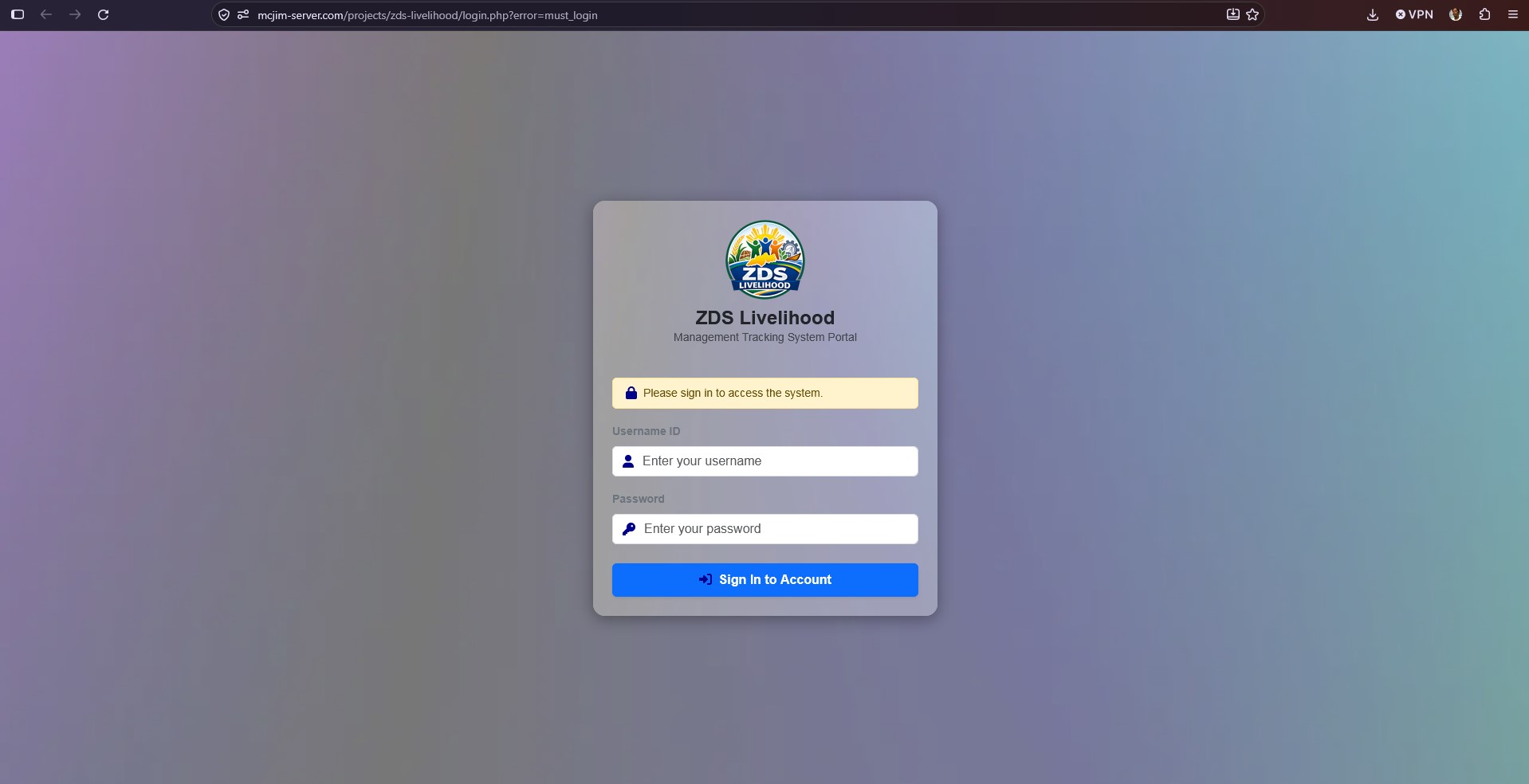
├── login.php                # Viewport-centered user authorization gateway login screen
├── login_process.php        # Secure prepared query credential checks & session parameter caching
├── logout.php               # Complete session cache clearing routine
├── index.php                # Main dashboard home panel featuring Chart.js visual metrics
├── list.php                 # Tabular records listing view with active running calculation footers
├── cards.php                # Records displayed in cards with action hover to view, edit and delete
├── details.php              # Comprehensive profile summary sheet locked behind territory guards
├── fetch_cards.php          # Asynchronous backend rendering script for home card layouts
├── fetch_table.php          # Asynchronous backend rendering script for tabular data listings
├── filter.php               # Centered layout row filter tool bar containing panel toggle anchors
├── add_new_modal.php        # Isolated component file that restricts creation selectors by user role
├── create.php / update.php  # Livelihood record insertion and modification processors
├── delete.php               # Livelihood data deletion and parameter clearance controller
├── get_options.php          # Asynchronous endpoint mapping active filtered location elements
├── get_options_all.php      # Asynchronous location utility mapping master distinct municipalities
├── get_statistics_data.php  # JSON compilation endpoint aggregating financial matrices
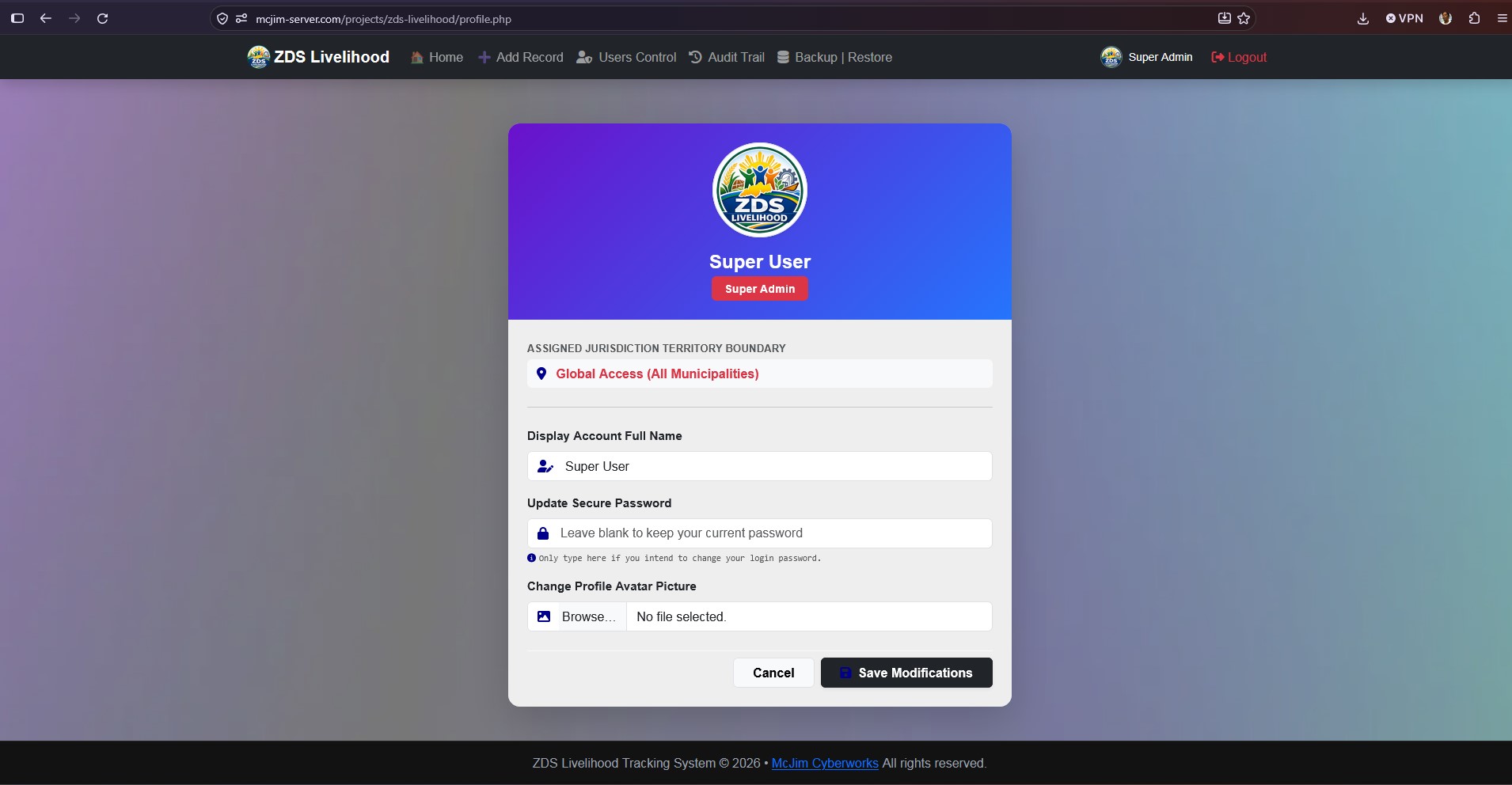
├── profile.php              # Individual operator settings page leveraging pure $_SESSION keys
├── update_profile.php       # Pure backend file editor managing password swaps and avatar processing
├── users.php                # Accounts console panel featuring automated dynamic role generators
├── create_user.php          # Background processor compiling files uploads and user data entries
├── delete_user.php          # Account removal endpoint with accidental self-deletion blocks
├── audit.php                # Operational log dashboard with built-in database truncation prompts
├── clear_logs.php           # Purge controller executing safe audit table overrides
├── logger.php               # Centralized operational history log tracking callback function
├── backup.php               # System native schema and row entries plain-text script exporter
├── restore.php              # Line-by-line .sql snapshot parser with full system overwrite guards
├── uploads/avatars/         # Uploaded profile picture directory storage path destinations
└── images/                  # Static design vector icons and default avatar path mappings
🛠️ Installation & Workspace Setup
1. Prerequisite Requirements
- Local Web Server Environment (XAMPP, WampServer, or Laragon) running PHP 7.4 to 8.x and MySQL / MariaDB.
2. Database Schema Configuration
Create a new database named zds_livelihood_db and execute the following database structure schemas inside your SQL terminal console panel:
-- A. Users Table Schema
CREATE TABLE users (
  users_id INT AUTO_INCREMENT PRIMARY KEY,
  fullname VARCHAR(100) NOT NULL,
  username VARCHAR(100) NOT NULL UNIQUE,
  password VARCHAR(100) NOT NULL,
  role VARCHAR(100) NOT NULL,
  municipality VARCHAR(100) DEFAULT NULL,
  imgUrl VARCHAR(255) DEFAULT NULL
);

-- B. Audit Logs Table Schema
CREATE TABLE audit_logs (
  log_id INT AUTO_INCREMENT PRIMARY KEY,
  users_id INT NOT NULL,
  fullname VARCHAR(100) NOT NULL,
  role VARCHAR(100) NOT NULL,
  action_type ENUM('CREATE', 'UPDATE', 'DELETE') NOT NULL,
  record_id INT NOT NULL,
  association_name VARCHAR(150) NOT NULL,
  municipality VARCHAR(100) NOT NULL,
  details TEXT NOT NULL,
  timestamp TIMESTAMP DEFAULT CURRENT_TIMESTAMP
);
3. Production Configuration
Open config.php and align your active local connection properties parameter credentials matching your server layout setup:
define('DB_HOST', 'localhost');
define('DB_NAME', 'zds_livelihood_db');
define('DB_USER', 'Your_Database_User');
define('DB_PASS', 'Your_Secure_Password');
4. Admin Account Seed Provisioning
Run this initial default data row entry string inside your phpMyAdmin SQL console tab to register your primary master user login profile parameters:
INSERT INTO users (users_id, fullname, username, password, role, municipality, imgUrl)
VALUES (NULL, 'System Administrator', 'superadmin', 'admin123', 'Super Admin', NULL, NULL);- Default Username ID:
superadmin - Default Password Key:
admin123
⏰ Automated Nightly Backup Configurations
Since your local project ecosystem is deployed directly inside a dedicated local drive directory structure (D:\Server\www\projects\zds-livelihood\), you can easily automate your production database backups to execute silently every single night without manual browser triggers.
Windows Server/PC Task Scheduler Automation
- Create a lightweight automation batch execution pointer script named
cron_backup.batright inside your root project folder:@echo off :: Run the PHP CLI parser engine to execute backup.php via the background thread "C:\xampp\php\php.exe" -f "D:\Server\www\projects\zds-livelihood\backup.php" - Open the native Windows Task Scheduler app (
taskschd.msc). - Click Create Basic Task in the right actions pane:
- Name:
ZDS Livelihood Nightly Database Backup - Trigger: Choose Daily (Set your target execution time to 11:45 PM).
- Action: Choose Start a program.
- Program/script: Browse and select your newly created
cron_backup.batscript asset path.
- Name:
- Click Finish. The server will silently archive database snapshots every evening!
📄 License Context
This software ecosystem layout is deployed under the MIT Open-Source License.
Copyright (c) 2026 McJim Cyberworks.

Permission is hereby granted, free of charge, to any person obtaining a copy
of this software and associated documentation files (the "Software"), to deal
in the Software without restriction, including without limitation the rights
to use, copy, modify, merge, publish, distribute, sublicense, and/or sell
copies of the Software, and to permit persons to whom the Software is
furnished to do so, subject to the following conditions:

The above copyright notice and this permission notice shall be included in all
copies or substantial portions of the Software.
⚡ Deployment & Client-Side Hard Cache Clearing
When compiling script refinements across live client nodes, always instruct local encoders to trigger a Hard Cache Refresh via Ctrl + F5 (or Cmd + Shift + R on Mac). This forces the browser execution context to dump legacy styles and fetch updated layout configurations cleanly from the server workspace disk.